
Ring - Always Home
Ring.comLifestyle
4.786.33K Reviews
- Version
- 3.116.2
- Installs
- 10.00M
- Age Rating
- Everyone
Screenshots
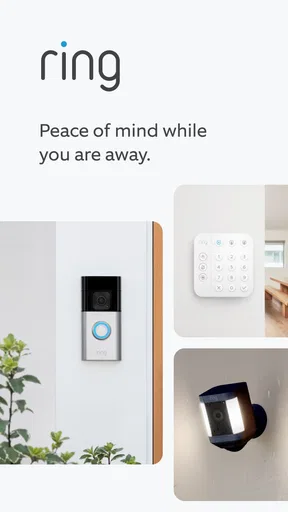
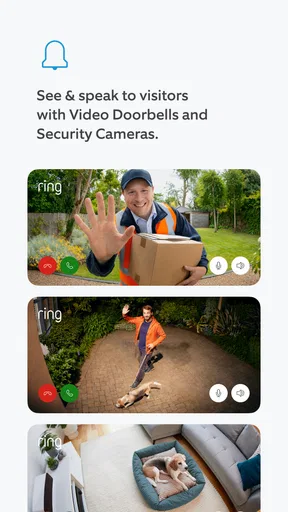
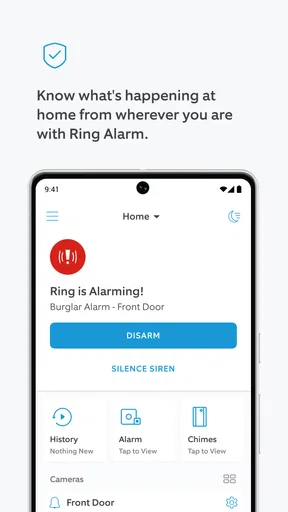
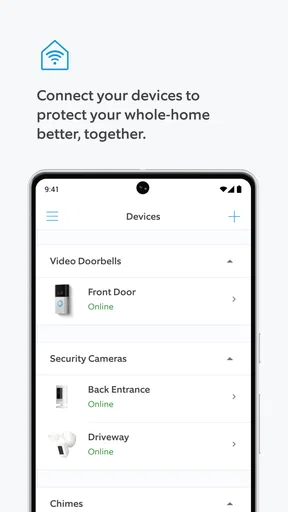
Our Review of Ring - Always Home
 Analysis by Appyee
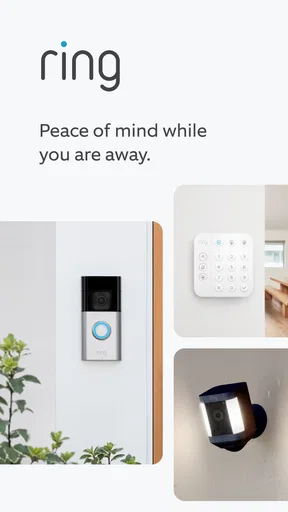
So, I decided to give Ring - Always Home a try, and let me tell you, it’s like having a personal security guard in your pocket. If you’re all about keeping an eye on your home while you’re out living life, this app might just be your new best friend.
The first week: getting a home view on your phone
The first few days are where the appeal is easiest to understand. Once the app is connected to compatible Ring devices, checking a live view or looking at an alert gives you a quick sense of what is happening at home without needing to be there. I found that especially reassuring when I was away for the day and wanted to check whether activity near the entrance was an ordinary delivery or something worth following up on.
That convenience does depend on having Ring hardware. The app is free, but it is not a stand-alone camera or doorbell; without a compatible device, there is little home activity for it to show. I would think of it as the control and viewing point for a Ring setup, rather than a complete security solution on its own. If you are still choosing equipment, it is worth deciding which areas you actually want to monitor before buying anything, instead of assuming that installing the app alone will provide coverage.
Setting Up Your Digital Watchdog
First things first, setting up Ring - Always Home is a breeze. I downloaded it from the app store, and within minutes, I was syncing it with my Ring devices. If you’ve already got the gadgets, like the Ring Video Doorbell or the Floodlight Cam, you’ll find the process super intuitive. Just follow the prompts, connect to your Wi-Fi, and voilà! You’re ready to roll.
What I love about this app is its user-friendly interface. Even if you’re not tech-savvy, navigating through the features is like a walk in the park. Everything is laid out logically, and the icons are straightforward.
Features That Make You Feel Safe
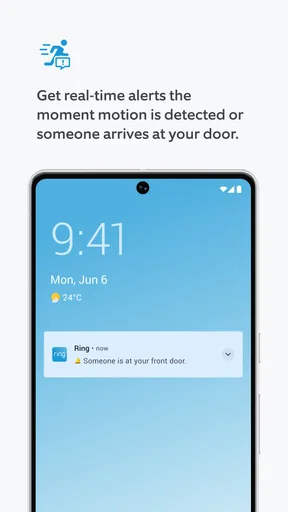
The real magic happens with the live view and alerts. You can see who’s at your door from anywhere in the world. Whether you’re chilling on a beach or stuck at the office, the app keeps you connected to your home. The motion detection feature is pretty slick too. I got instant notifications whenever someone was at my door, which is great for those unexpected visitors.
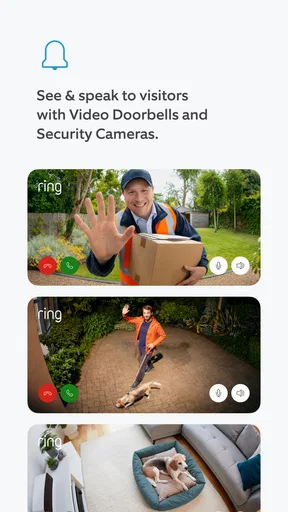
Plus, the two-way audio is a game-changer. Imagine telling the delivery guy to leave the package at a specific spot without even being home. It’s these little conveniences that make life so much easier.
A more useful routine than constant checking
The app works best when I treat alerts as prompts to make a decision, not as a reason to watch the screen all day. For example, if a delivery notification arrives while I am on a call, I can decide whether to open the live view and speak through the doorbell or simply check the event later. That small distinction helps keep a home-monitoring tool useful without letting it interrupt every quiet moment.
Two-way audio is particularly handy when a visitor needs a simple instruction, but it is not a substitute for being physically present. I would use it to direct a courier or answer a quick question, not to manage a complicated exchange from a noisy street or a weak connection. If I expect to rely on a live conversation, I check that the phone has a good connection first; otherwise, reviewing the event afterwards may be less frustrating.
Keeping Things Secure and Smart
Security is obviously a big deal with Ring - Always Home. The app offers a neighborhood feature where you can stay updated with local safety reports. It’s like having a community watch right on your phone. This feature can be really useful, especially if you live in a busy area.
And let’s not forget about the integration with other smart home devices. If you’re into creating a smart ecosystem, this app plays nicely with Alexa, which means you can control your devices with just your voice. Talk about futuristic living!
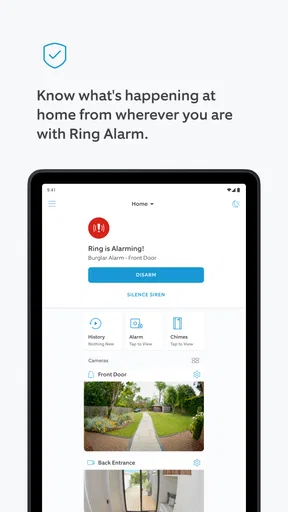
Another neat addition is the timeline view where you can scroll through past events. It’s perfect for reviewing what happened while you were away.
Month-to-month value: a habit, not a novelty
After the first burst of curiosity, I think the app earns a lasting place when it solves a recurring, ordinary problem: checking a door while out, responding to an unexpected visitor, or reviewing an event after returning home. Those are practical reasons to open it; simply watching live video because it is available is less likely to remain worthwhile. The timeline is valuable here because it lets you look back when there is a reason, rather than requiring you to keep monitoring in real time.
A realistic routine might be checking the entrance before leaving for work, glancing at an alert during lunch, and reviewing the timeline after a delivery notification. That is a lighter and more sustainable habit than repeatedly opening the app without a specific concern. If you share responsibility for a home, agreeing who responds to alerts can also prevent two people from checking the same event or assuming the other person has handled it.
The neighborhood reports serve a different purpose from camera alerts. They can add local context, but I would not treat community posts as proof that a particular event happened at my own property. For a household decision, I would use the camera’s own event information as the more direct point of reference and approach neighborhood updates as supplemental awareness. That distinction matters if frequent local reports start to feel alarming rather than useful.
Maintenance that keeps the app useful
Most of the upkeep is not complicated, but a security app is only dependable when the equipment and phone remain ready to communicate. I would occasionally check that notifications are still enabled, that the app is signed in, and that the relevant device appears reachable before relying on it for an important delivery. A quick test of live view at a convenient time is more sensible than discovering a connection problem when someone is already at the door.
It also helps to make the alerts fit the household. If routine motion around a busy entrance produces more interruptions than useful information, reviewing the device’s available settings and choosing a sensible notification approach can make the app easier to live with. The exact choices depend on the Ring equipment in use, so I would adjust them in the device setup rather than expecting the app to eliminate every unhelpful alert automatically.
There is a trade-off between coverage and attention: adding more devices may let you see more areas, but it can also mean more events to review. I would start with the entrance or other location that matters most, then decide from actual use whether another camera would answer a real need. This prevents a setup from becoming more elaborate than the household can maintain.
Where it differs from ordinary alternatives
Compared with a basic doorbell that only rings inside the home, Ring’s phone-based live view and alerts are more useful when nobody is there to answer. Compared with a general-purpose home camera app, its strongest fit is for people already building around Ring devices and who want the doorbell, camera events, and related controls in one place. If you own equipment from another ecosystem, that ecosystem’s own app may be the simpler choice; mixing platforms can make everyday checking less straightforward.
A standalone camera may also be a better fit if your only goal is watching one indoor room and you do not need doorbell conversations, neighborhood updates, or a broader Ring setup. Conversely, someone who wants to respond to visitors while away may value the combination of live viewing and two-way audio more than a camera that only records or displays a feed. The right comparison is not which app has the longest feature list, but which one matches the hardware and situations you actually have.
Sources of fatigue and sensible limits
Alerts can become tiring if every movement feels urgent. I would avoid treating a phone notification as a guarantee that something is wrong; motion can have an ordinary explanation, and checking every event immediately can turn reassurance into a constant chore. The app is most comfortable when I decide in advance which kinds of activity deserve an immediate look and which can wait for the timeline.
There is also a privacy consideration with any camera-based home setup. Before installing a device, think about what area it captures and how household members and regular visitors will feel about being recorded or viewed. A camera aimed at a shared entrance has a different impact from one placed where people expect more privacy. I would make those choices deliberately rather than adding equipment simply because it can be connected.
Ring’s value can also depend on the rest of your home setup and your willingness to maintain it. If you dislike managing connected devices, want one app to work equally well with equipment from many brands, or have no interest in checking alerts, this may not be the most natural choice. A traditional doorbell or a simpler camera arrangement could be less demanding for those needs.
Who is likely to keep using it?
I would recommend it most readily to someone who already owns Ring devices, often leaves home, receives deliveries, or wants a convenient way to answer the door remotely. It can also suit a household that values being able to review events together, provided everyone understands who is responsible for responding. The app is free and has an Everyone age rating, while its usefulness still depends on whether the household has compatible equipment and a reason to check it.
Ring.com is the developer, and the app sits in the lifestyle category rather than being a general-purpose security service. Its average rating is 4.6 from around 461,000 ratings, with over 10 million installs. Those figures suggest broad interest, but they do not tell me whether it will fit a particular home: the hardware, connection, alert habits, and comfort with cameras matter more to that decision.
The current version is 3.93.1, and it supports iOS 9 or later. I would still check that a particular phone and the Ring equipment you plan to use are compatible before setting up a household around it. The app first appeared on November 18, 2014, so it is an established product rather than a new experiment, but that history does not remove the need to keep devices and settings in working order.
Wrapping It Up
Overall, Ring - Always Home is an app that does exactly what it promises. It keeps you connected to your home, offers peace of mind, and adds a layer of security that’s hard to beat. If you’re looking for an app that combines functionality with ease of use, this one is worth checking out.
Just remember, the app is most effective when paired with Ring devices, so if you’re serious about home security, investing in the hardware is a smart move. Happy monitoring!
My long-term verdict
For me, the lasting value is not the novelty of seeing a live camera feed; it is having a practical way to respond when something happens at the door and a timeline to consult when I need context. That makes it a good everyday companion for a Ring-equipped home, especially when deliveries and visitors are part of the routine. If I rarely leave home, do not want connected cameras, or would rather use equipment from another brand, I would choose a simpler option instead.
The app is worth keeping when its notifications remain manageable and its controls help with real household moments. Set up only the coverage you need, check the system occasionally, and use the timeline rather than turning monitoring into a constant habit. With those expectations, I can see Ring earning its place on a phone after the first-week excitement has passed.
Privacy and Permissions
See what permissions an app requests and how it handles your data.
- Contacts
- read your contacts, modify your contacts
- Location
- approximate location (network-based), precise location (GPS and network-based)
- Phone
- read phone status and identity
- Photos/Media/Files
- read the contents of your USB storage, modify or delete the contents of your USB storage
- Storage
- read the contents of your USB storage, modify or delete the contents of your USB storage
- Camera
- take pictures and videos
- Microphone
- record audio
- Wi-Fi connection information
- view Wi-Fi connections
- Device ID & call information
- read phone status and identity
- Other
- view network connections, pair with Bluetooth devices, access Bluetooth settings, send sticky broadcast, change network connectivity, connect and disconnect from Wi-Fi, full network access, change your audio settings, control Near Field Communication, run at startup, control vibration, prevent device from sleeping
Verdict
Strengths of Ring - Always Home
- Easy setup process for quick use
- High-quality video streaming
- Two-way audio communication
- Motion detection alerts
- Customizable notification settings
Limitations of Ring - Always Home
- Requires stable internet connection
- Limited free cloud storage
- Can be expensive with extra features
- Privacy concerns with data storage
- Occasional false motion alerts
Other Releases by Ring.com
View All
Neighbors by Ring
News & Magazines4.7
Similar Picks in This Category
View All
SmartThings
Samsung Electronics Co., Ltd.4.6

Google Home
Google LLC4.0

Pinterest4.2

Astrotalk - Talk to Astrologer
Astrology & Horoscope4.7

My Verizon
Verizon Consumer Group4.5

Samsung Wallet (Samsung Pay)
Samsung Electronics Co., Ltd.4.1
Frequently Asked Questions
What features does the Ring - Always Home app offer?
The Ring - Always Home app provides a comprehensive suite of features designed to enhance home security. Users can view live video feeds from their Ring devices, receive real-time alerts, and communicate via two-way audio. The app also supports integration with other smart home devices, allowing for a seamless security experience.
How does the Ring app handle privacy and data security?
Ring - Always Home takes privacy and security seriously by implementing end-to-end encryption for video feeds and stored data. Users have control over their privacy settings, including managing shared access and deciding who can view their footage. The app also offers two-factor authentication for added security.
Is the Ring - Always Home app compatible with all Ring devices?
Yes, the Ring - Always Home app is designed to be compatible with all Ring devices, including doorbells, security cameras, and the Ring Alarm system. This ensures that users can manage and monitor all their devices from a single application, providing a unified security solution.
Can I use the Ring app without a subscription?
While the Ring - Always Home app can be used without a subscription to view live video and receive alerts, a Ring Protect Plan is required for additional features. These plans offer benefits such as video recording, sharing capabilities, and extended warranties, enhancing the overall functionality of the app.
How user-friendly is the Ring - Always Home app?
The Ring - Always Home app is designed with user-friendliness in mind, featuring an intuitive interface that makes it easy to navigate. New users will find setting up devices straightforward, while the app's customization options allow seasoned users to tailor their security settings to their specific needs. This makes it accessible for both tech-savvy individuals and beginners.
